Recovery
Overnight HRV, resting heart rate and breathing rate against your own 30-day baseline. Tells you whether your body is ready to push or needs an easy day.
Snaga reads your Apple Watch data from Apple Health and turns it into three numbers each morning: Recovery, Sleep and Exertion. Then it tells you how hard to train today.
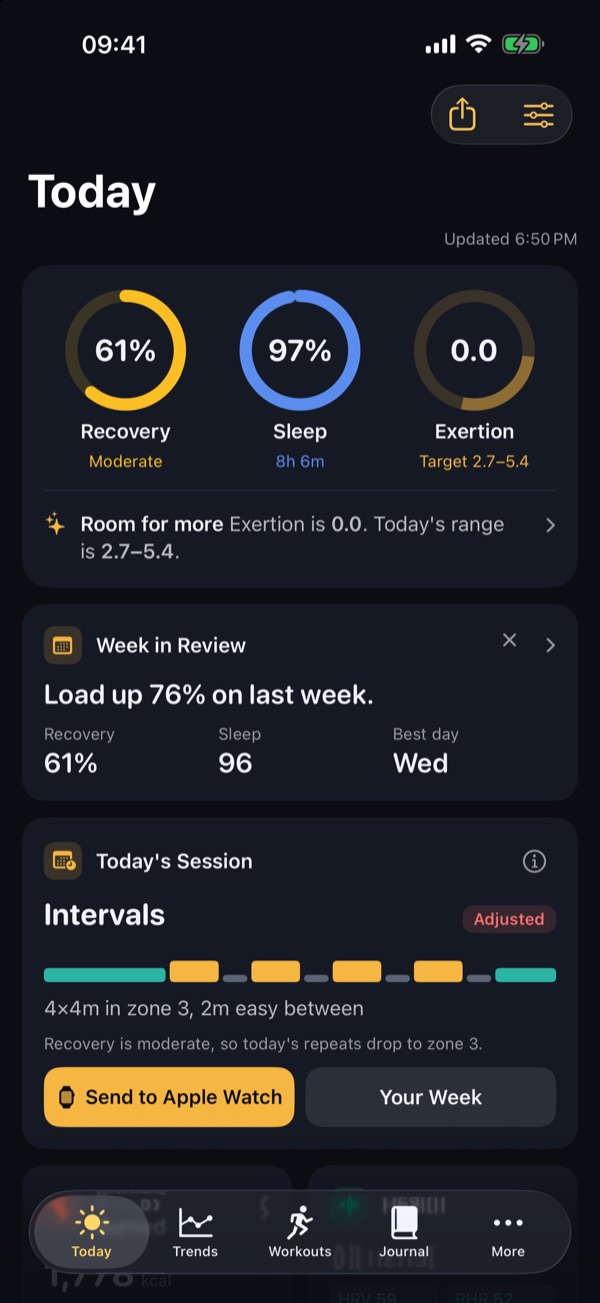
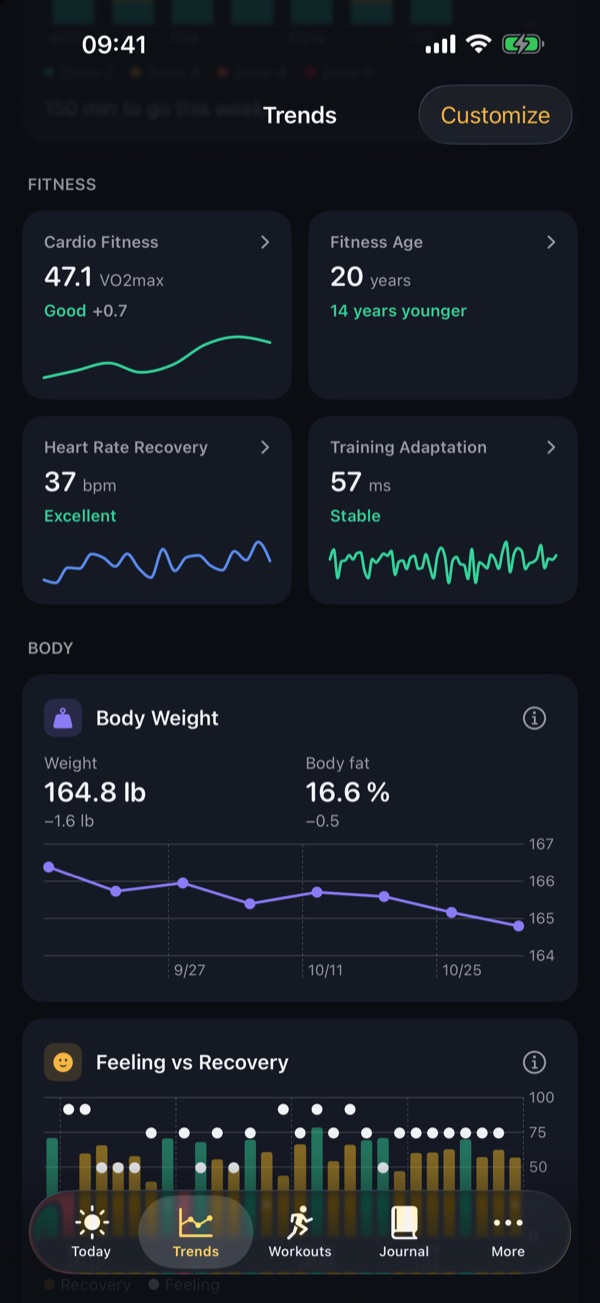
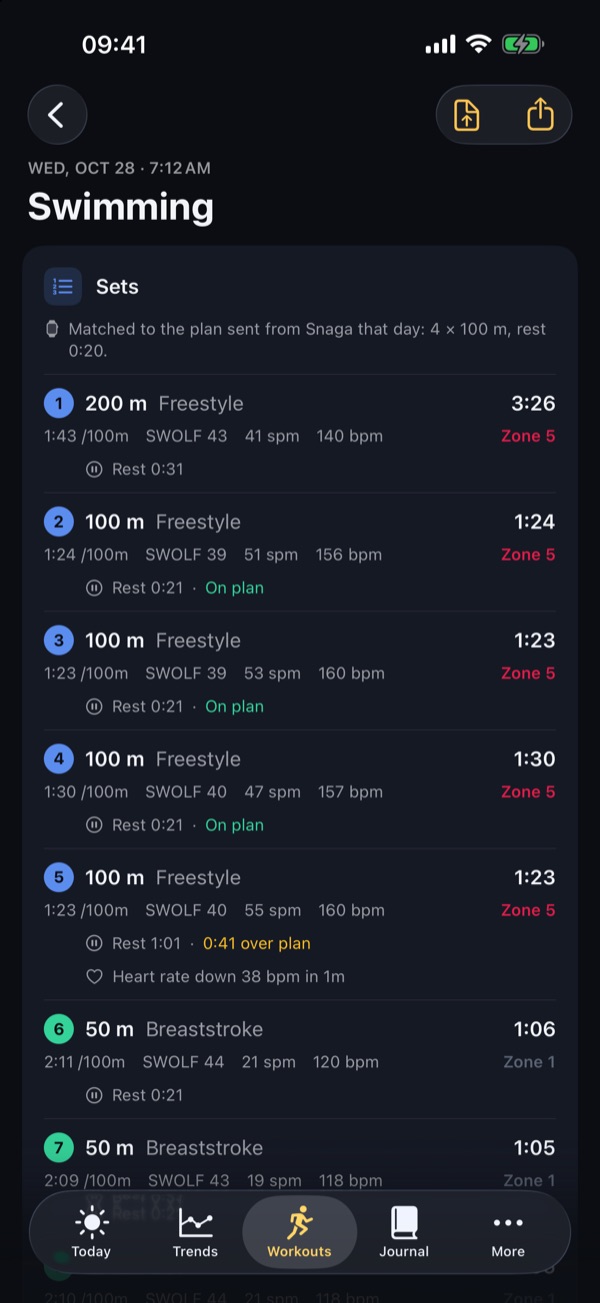
Snaga compares last night with your own baseline, not with someone else's average, and explains the result in plain words.
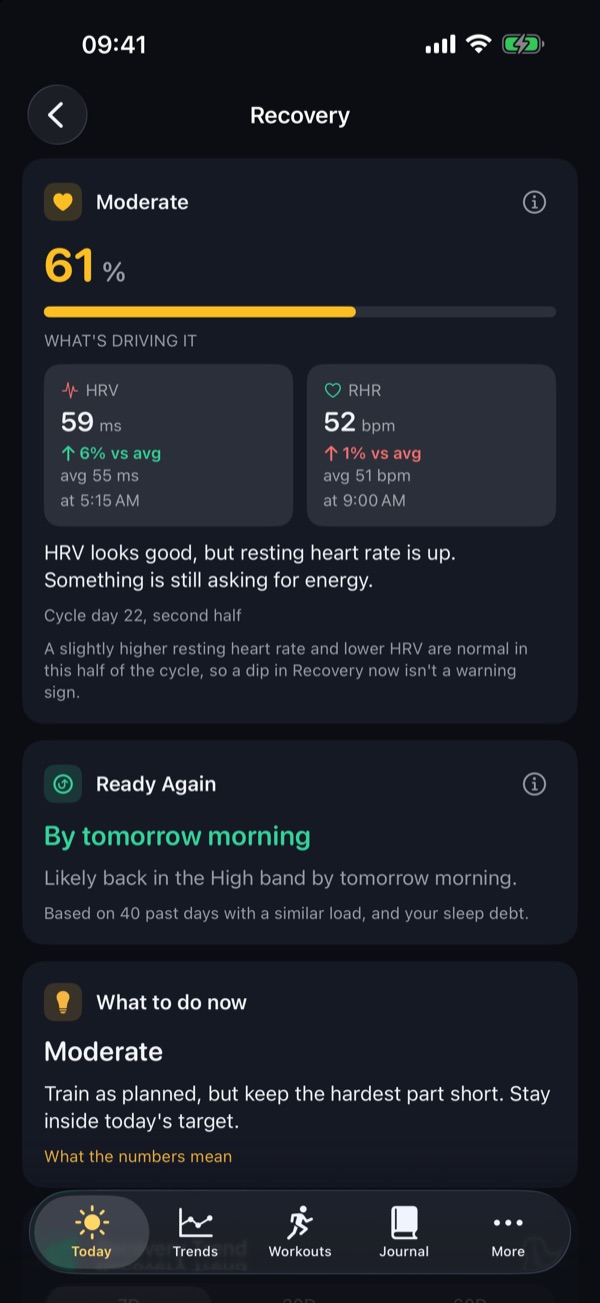
Overnight HRV, resting heart rate and breathing rate against your own 30-day baseline. Tells you whether your body is ready to push or needs an easy day.
Duration, deep and REM sleep, efficiency and consistency in one score, plus Tonight's Target: when to go to bed to hit your sleep goal.
Time in heart rate zones on a 0 to 10 scale. Your daily target follows your recovery, with a suggested workout that gets you there.
The Watch already records heart rate, HRV and sleep into Apple Health. Snaga needs nothing else: no strap, no ring, no account.
Recovery, Sleep and your Exertion target are ready. On first launch Snaga reads up to three months of history, so scores can show from day one.
Push on a green day, ease off on a red one. Your wrist taps when you reach the target during a workout.
Runners, swimmers, cyclists, triathletes and anyone who wants to stop guessing.
When several overnight signals are off at once, Today shows a heads-up before you feel it, so you can take it easy.
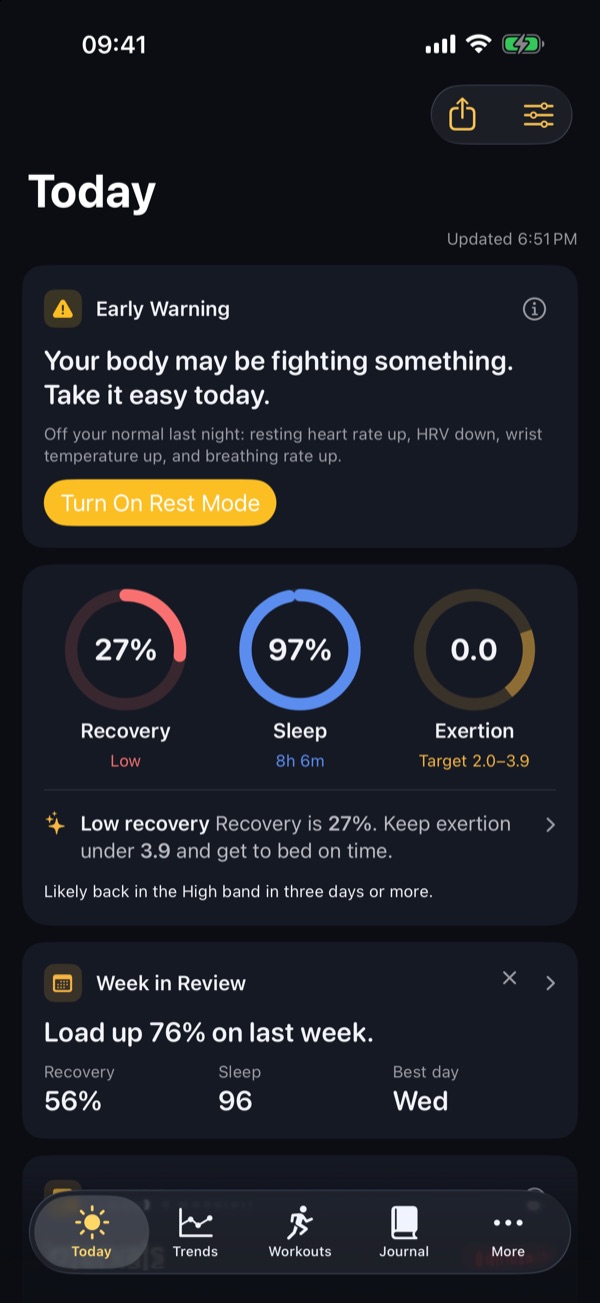
See when you push too hard and when to ease off. Recovery against Exertion, recovery-based training balance and training load in one place.
Pool swims broken down by set, stroke, length and 100 m split, with SWOLF and stroke rate.
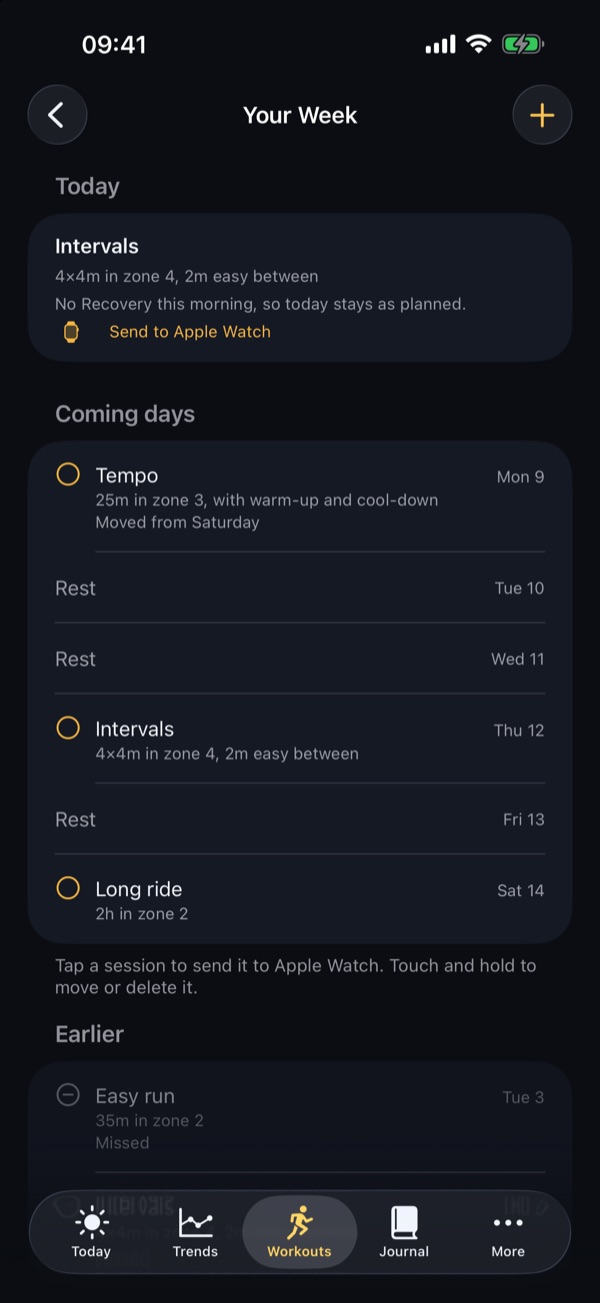
Build interval workouts and pool plans on your iPhone and send them straight to the Workout app on Apple Watch.
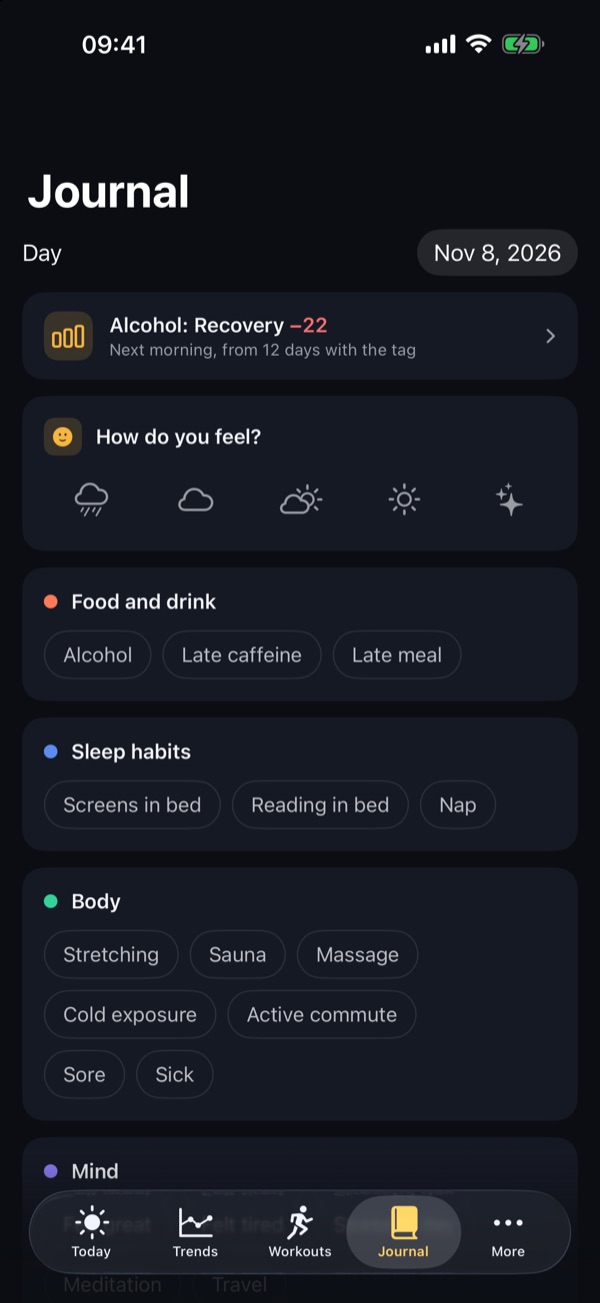
Tag your day: alcohol, late meal, sauna, meditation, GLP-1 and more. After a few weeks Snaga shows which tags go with a better or worse next morning.
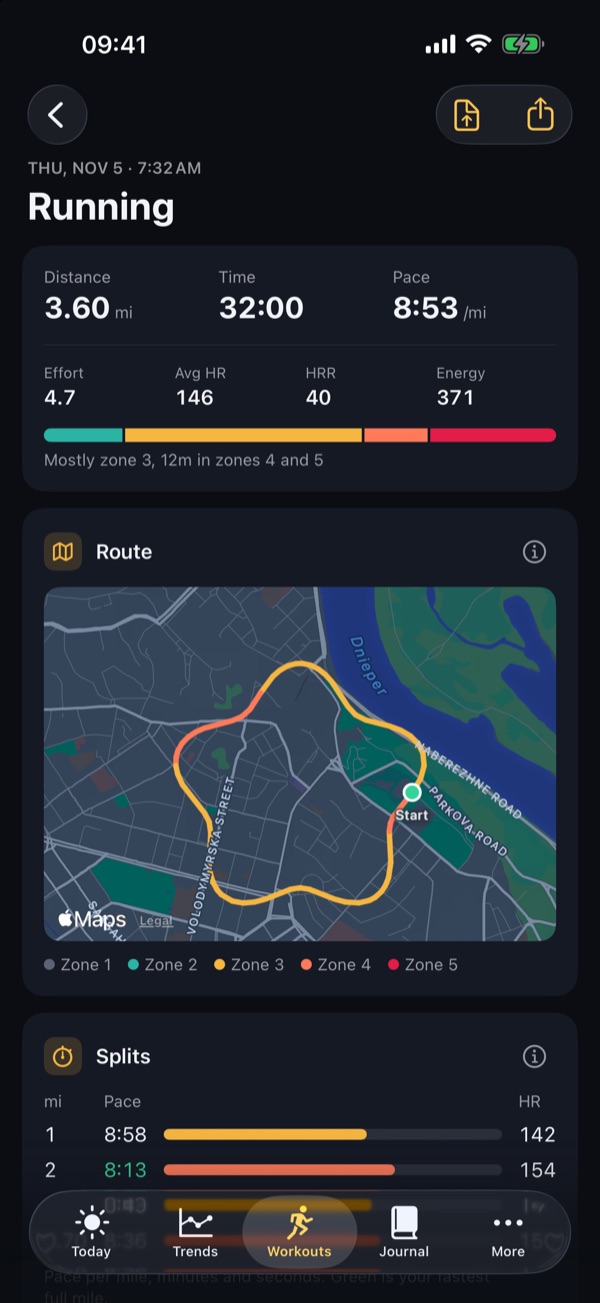
A route map coloured by heart rate zone, splits with pace and heart rate, and how long you spent in each zone.
Off by default. Turn it on and Recovery, wrist temperature and health markers are read with your cycle phase in mind, so a normal dip is not flagged as a warning.
Today's numbers and complications on the Watch face, plus live workouts with heart rate zones and Exertion.
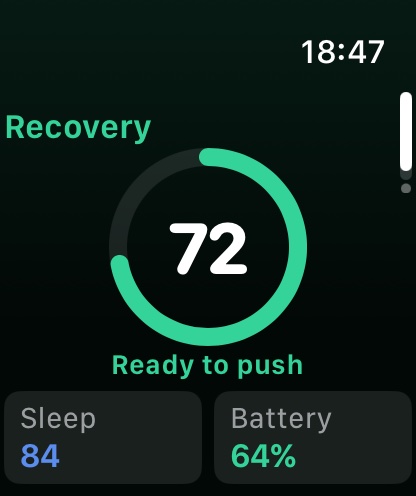
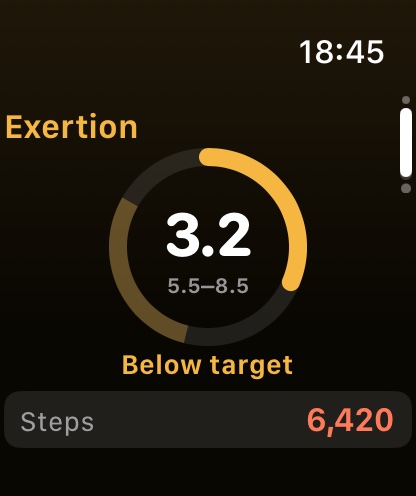
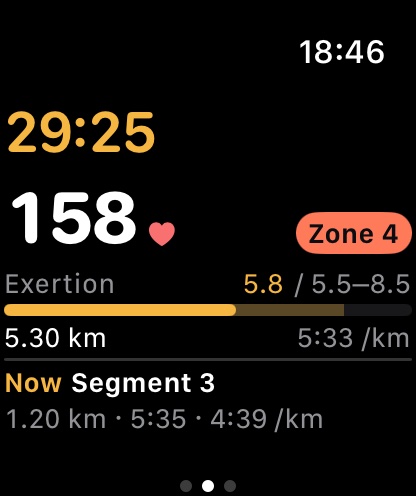
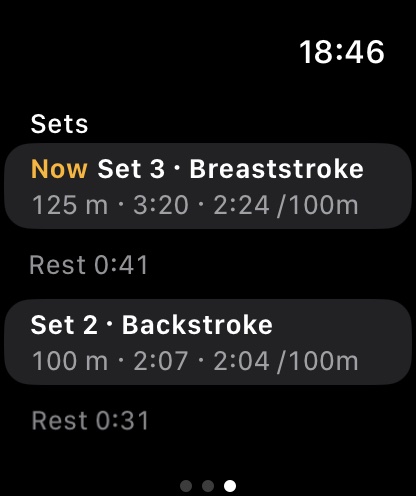
Runs, walks, rides, pool and open water swims with live zones and Exertion.
A tap at your target and at every kilometre or 100 m.
Your Watch workout shows live on your iPhone while you train.
Energy through the day and stress from heart rate, like a battery you can check any time.
Steps and energy pace against your usual day.
Wrist temperature, blood oxygen, breathing rate and resting heart rate trends.
Every Sunday: load against last week, average recovery, your best day and one tip.
Power, FTP and power zones.
VO2 max, heart rate recovery and Fitness Age with a What if simulator.
Month calendar, streaks, weekly goals, personal records and a look back at your year.
TCX for Strava or TrainingPeaks, CSV, and a one-page Health Report PDF.
Home Screen and Lock Screen widgets. Ask Siri for recovery, sleep or today's target.
Ask about your last two weeks. Answered on the device with Apple Intelligence.
Shows which Health data is missing and how to switch it on.
Snaga reads Apple Health on your iPhone and works everything out there. Your health data never leaves your iPhone and Apple Watch.
Yes. Every screen is free, with no ads and no subscription. You don't need an account.
Yes. Recovery, Sleep and Exertion come from the heart rate, HRV and sleep data Apple Watch writes to Apple Health. Wear it overnight for Recovery and Sleep.
An iPhone with iOS 17 or later and an Apple Watch with watchOS 10 or later. Ask Snaga needs an iPhone with Apple Intelligence.
On first launch Snaga reads up to three months of history from Apple Health. If Health already has 7 nights with sleep and HRV, Recovery shows the first morning.
Snaga compares last night's heart rate variability, resting heart rate and breathing rate with your own 30-day baseline. Higher HRV and a lower resting heart rate than usual mean you are better recovered.
Yes. Snaga splits pool swims by set and stroke, finds your critical swim speed, gives pace zones, and records pool and open water swims, runs and rides on Apple Watch.
No. Snaga has no servers and no analytics. Everything is calculated and stored on your iPhone.
No. Snaga is a wellness app. It does not diagnose or treat anything. Talk to a doctor about any health concern.
English, Ukrainian, German, Spanish, French, Brazilian Portuguese and Japanese.
Snaga for iPhone and Apple Watch.